Creating Interactive Bedtime Stories with Voice Tech
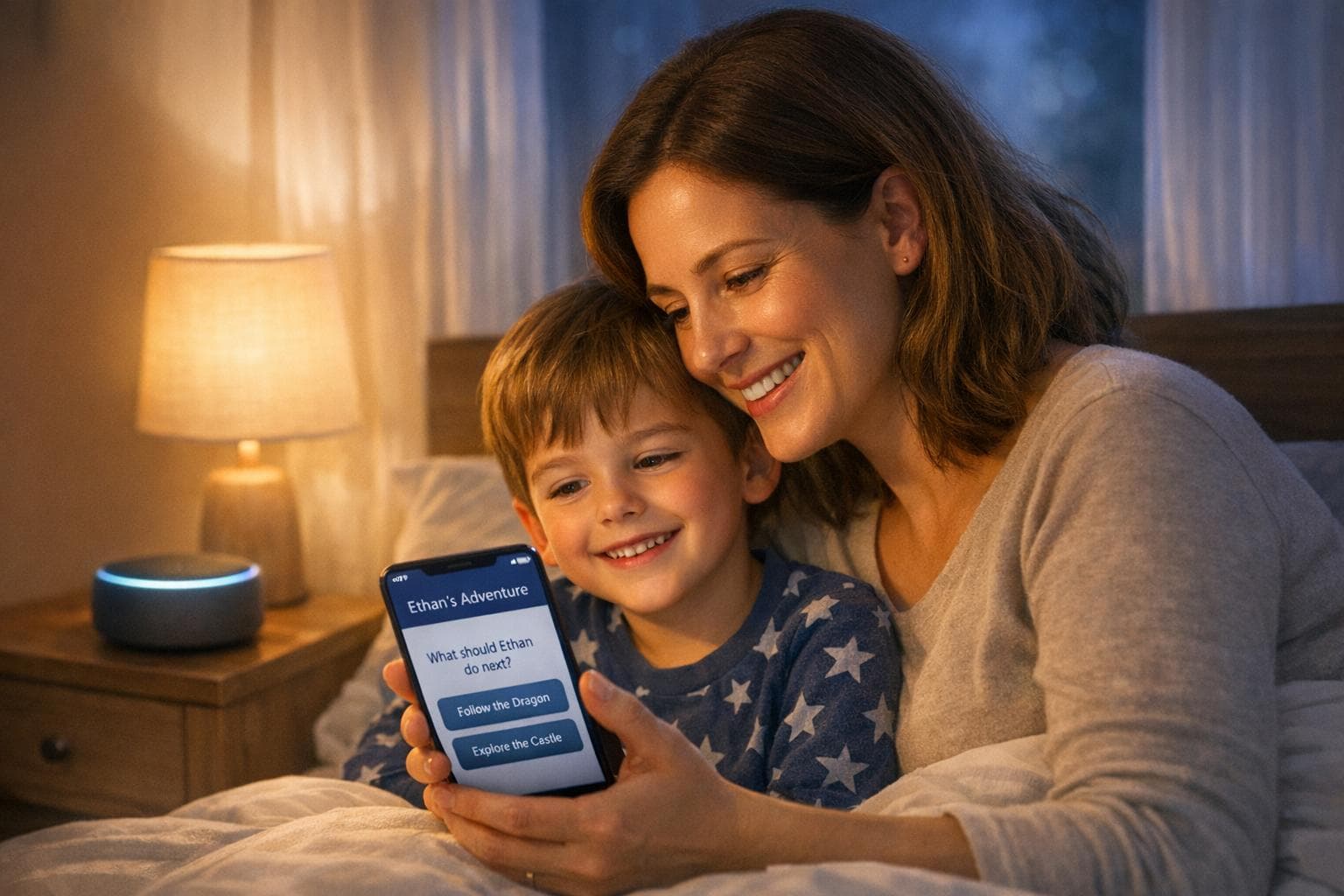
Tired of bedtime battles? Voice technology is changing the game. Platforms like Kidooki now let you create personalized, interactive bedtime stories in minutes. Your child becomes the star of the story, choosing adventures, hearing their name, and exploring their favorite topics - all while learning decision-making skills.
Key highlights:
- Personalized storytelling: Stories include your child’s name, hobbies, and preferences.
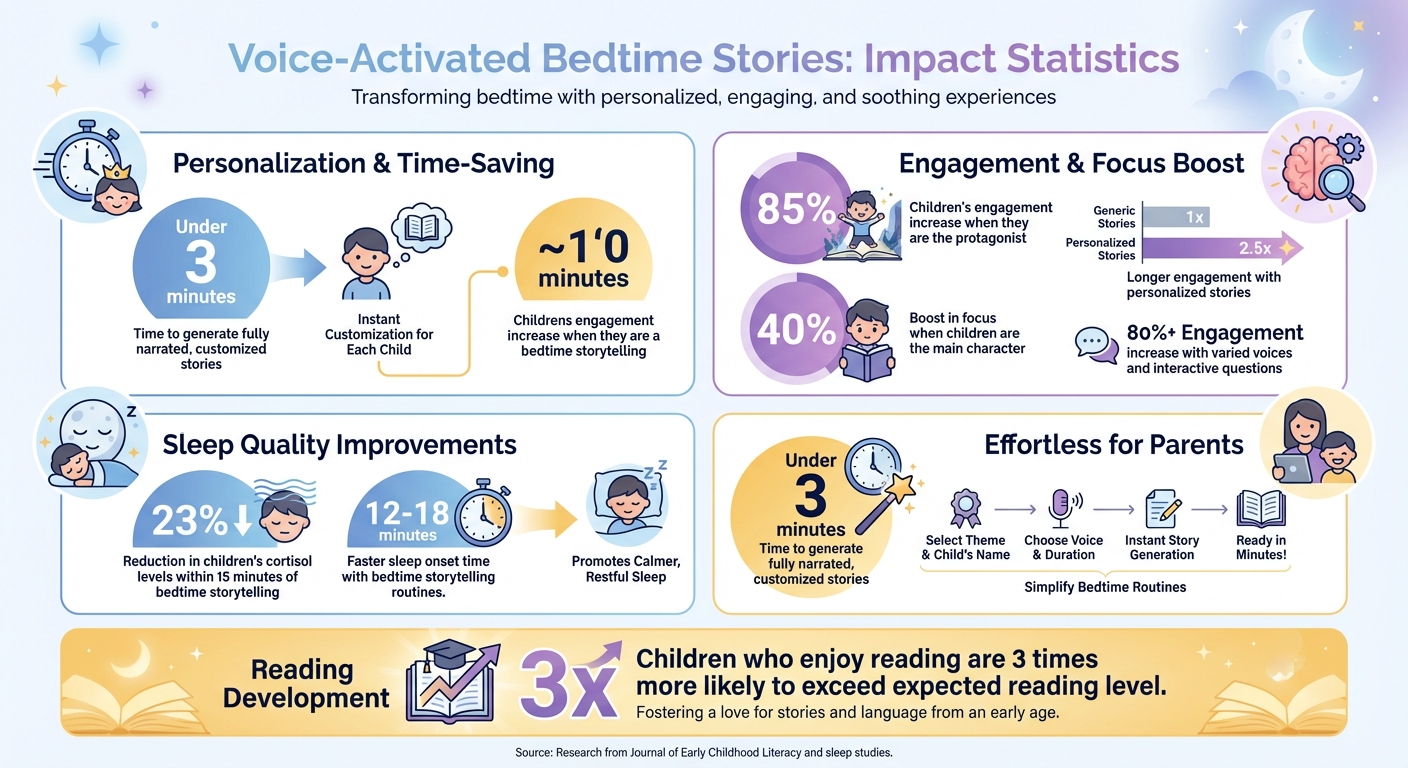
- Interactive features: Kids make choices that shape the plot, boosting engagement by 40%.
- Time-saving for parents: Generate fully narrated stories in under three minutes.
- Comforting voice options: Record stories in your voice or use AI voice cloning for a familiar touch.
Studies show kids are 85% more engaged when they’re the protagonist, and bedtime routines with storytelling improve sleep quality. With tools like Kidooki, bedtime shifts from a chore to a cherished moment.
Voice-Activated Bedtime Stories: Key Benefits and Engagement Statistics
Benefits of Voice Technology for Bedtime Stories
Voice-activated storytelling has turned bedtime into something kids eagerly look forward to. It brings three standout perks: personalized stories that feel special, interactive features that keep kids engaged, and a time-saving solution for parents. Together, these features create a screen-free, bonding experience that helps children relax and drift off to sleep.
Stories Tailored to Your Child
Personalized stories grab a child’s attention by including details like their name and favorite things. In fact, research from the Journal of Early Childhood Literacy shows that kids are far more engaged and emotionally connected to stories that include their name compared to generic ones. Preschoolers even learn vocabulary more effectively when it’s part of a personalized story.
Platforms like Kidooki take this idea to the next level by weaving in a child’s specific interests - whether it’s dinosaurs, soccer, or outer space - into stories crafted for their developmental stage. This ensures the language and themes are just right for their age. As Dr. Natalia Kucirkova, a professor specializing in early childhood education, puts it:
"When children see themselves in a story, it transforms reading from a passive activity into a personally meaningful experience. Personalization creates emotional engagement that generic stories simply cannot match".
This personal touch also helps kids process their emotions. For example, calming phrases like "you are safe" resonate more deeply when they’re part of a story about the child. Personalized tales can even help kids navigate big life changes - like a first dentist visit or moving to a new home - by framing them in a comforting, fictional context. Beyond this, interactive features take the experience even further.
Interactive Elements Keep Kids Engaged
Voice technology doesn’t just tell a story; it invites kids to help create it. Through interactive prompts, children can make choices, like deciding whether the main character takes a hidden road or a well-lit path. This turns storytelling into an active experience, encouraging problem-solving and an understanding of cause and effect.
When kids get to shape the storyline, they stay engaged much longer. Studies reveal that children focus 40% more when they’re the protagonist, and they engage 2.5 times longer with personalized stories compared to generic ones. These interactive moments make bedtime stories not just entertaining but also mentally stimulating.
Time-Saving for Parents
After a long day, finding a fresh bedtime story can feel like a chore. Voice technology takes the pressure off by delivering fully narrated, customized stories in under three minutes. Platforms like Kidooki provide a new story every night, complete with professional narration and soothing illustrations, so parents can focus on quality time - cuddles and connection - instead of crafting the perfect performance.
And the convenience doesn’t compromise quality. These platforms tailor stories with age-appropriate vocabulary and themes, ensuring that a story for a 3-year-old feels different from one for a 9-year-old. This efficiency also supports consistent bedtime routines, which are linked to better sleep. Research shows that bedtime storytelling can lower kids’ cortisol levels by 23% within 15 minutes and help them fall asleep 12–18 minutes faster. It’s a win-win for both parents and kids.
sbb-itb-d6d0693
How to Set Up Voice-Activated Storytelling
Setting up voice-activated bedtime stories is quick and simple. Most platforms walk you through creating a child profile, setting preferences, and activating interactive features. These steps help deliver stories tailored specifically to your child, aligning perfectly with Kidooki's focus on engaging and personalized bedtime storytelling.
Platform Setup and Child Profiles
Start by downloading the Kidooki app on your iOS or Android device, or access it through a web browser. To create a profile for your child, enter their name and select an age group - like 0–2, 3–5, 6–9, or 10+ years. This ensures the story’s language and themes are appropriate for their developmental stage. You can also choose favorite topics and an illustration style. Some platforms even allow you to upload a photo, which can help generate an AI character resembling your child. The entire process takes less than three minutes. Once the profiles are ready, you can use voice commands to create custom stories.
Creating Personalized Stories with Voice Commands
Once setup is complete, simply use voice commands to generate a story. For instance, on devices like the Amazon Echo Show, you can say, "Alexa, make a story", and the AI will guide you through selecting a theme - such as an enchanted forest or an underwater world. You’ll also name a character and pick descriptive traits like "mysterious" or "silly." Based on your child’s preferences, Kidooki automatically creates a fresh story every night, complete with professional narration and soothing illustrations. You can even select curated themes like "magical", "educational", or "calming" to match your child’s mood or energy level before bedtime. To elevate the experience further, turn on interactive features.
Turning On Interactive Story Features
For a more immersive experience, enable interactive elements that let your child shape the story. Features like "Dialog Mode" assign distinct AI voices to characters, turning the story into a dynamic audiobook where characters interact naturally. Some platforms also include branching storylines, where kids make choices at key moments - like deciding whether a character takes a "hidden" path or a "well-lit" one. These options not only make the story more engaging but also introduce basic cause-and-effect learning. Don’t forget to activate safety filters to ensure all content is appropriate for your child’s age.
Making Stories More Immersive
Transform bedtime stories into captivating adventures by incorporating voice effects, layered sound, and subtle background music. These audio elements, combined with personalized prompts and interactive choices, can fully engage your child’s imagination and senses.
Recording Your Own Voice or Using Voice Effects
Bringing characters to life with your voice can make storytelling even more engaging. Try recording your voice or experimenting with voice effects to differentiate characters. For example, use a deep, slow tone for a wise mentor or an energetic, playful tone for a sidekick. Studies suggest that when parents use varied voices and interactive questions during storytelling, engagement levels can increase by over 80%.
If you're a parent on the go, voice cloning technology can be a game-changer. By recording 15–20 minutes of expressive speech using a USB microphone (instead of a phone mic), you can create a digital version of your voice. This can be especially comforting for kids, as hearing a parent’s voice releases oxytocin - a hormone that promotes bonding and helps children relax before sleep. Dr. Elizabeth Adams, a Child Psychologist, emphasizes:
"Technology that allows a parent's voice to remain the primary vehicle for storytelling helps maintain the emotional 'scaffolding' children need to take risks in their learning."
For a more theatrical experience, platforms like Kidooki offer Full Cast Mode, assigning up to six unique AI voices to different characters. Imagine a deep, rumbling voice for a dragon or a light, whimsical tone for a fairy - this creates a movie-like experience perfect for kids aged 5 and up. For younger children (ages 3–4), a single narrator in Storyteller Mode provides a consistent and calming rhythm, ideal for bedtime.
Adding Sound Effects and Music
Sound effects and music can turn a simple story into an immersive journey. Physical actions, like clapping to mimic thunder or stomping to imitate giant footsteps, encourage your child to participate actively. You can also enhance the atmosphere with digital effects using apps like Noisy Book or sound libraries on YouTube. Picture rainforest sounds or magical chimes adding depth to the narrative.
Background music plays a crucial role in setting the mood. Use soft, melodic tunes during calm moments and more dynamic tracks for adventurous scenes. Tools like Audacity or GarageBand allow you to blend narration with music, giving your story a polished, professional touch. Just remember to keep the music subtle so it complements the narration without overpowering it. Adding dramatic pauses before key moments or sound effects can heighten anticipation and give your child’s imagination room to soar.
Fixing Common Voice Tech Problems
Smooth performance of voice technology is essential for Kidooki's personalized, interactive bedtime stories. Luckily, most common issues can be resolved quickly, ensuring your child's bedtime routine stays on track. Here’s how to address some of the most frequent problems.
Resolving Connection and Device Issues
A reliable internet connection is the backbone of uninterrupted interactive storytelling. If your device displays an error or disconnects, the culprit is often an unstable Wi-Fi connection. Voice assistants depend on a steady signal to process commands, and even brief network interruptions can disrupt their functionality.
Start by power cycling your modem and router: unplug them, wait five minutes, and plug them back in. Double-check the basics, too - a red light ring or bar on the device usually means the microphone is muted. Simply press the microphone button on top to unmute it. If you’ve recently updated your Wi-Fi password, make sure to update it in the companion app under the "Wireless" or "Wi-Fi Network" settings. For persistent issues, try unplugging the device for 20 minutes to allow it to reset fully and clear any temporary glitches.
If you’re using a mesh network like Google Nest Wi-Fi, ensure your phone and the voice assistant are connected to the same Wi-Fi band to avoid synchronization errors during story selection.
For devices located far from the router, moving them closer can often resolve connectivity issues. Use the companion app to check the device's status, and if needed, toggle the Wi-Fi setup mode to reestablish the connection.
Improving Voice Recognition Accuracy
When the device hears your child’s command but misinterprets it - or struggles to recognize their name - the issue often lies with voice recognition accuracy. Voice assistants rely on Automatic Speech Recognition (ASR), which can sometimes falter with unique names, accents, or background noise.
To improve accuracy, place the device 3–10 feet from the speaker and away from walls to minimize echo. Turn off TVs, radios, or other noise sources during storytelling to reduce background interference. Regularly clean the microphone holes to ensure they’re not blocked by dust or debris.
Register your child’s name. If the assistant frequently misidentifies a name, you can add a phonetic spelling in the user profile settings or use in-app tools to record the correct pronunciation. If the device gets the name wrong, simply say, "That's not my name", to help the AI learn the correct pronunciation. You can also retrain voice profiles periodically by re-enrolling your voice, which helps the system adapt to natural vocal changes over time. For tricky phrases, consider simplifying commands or using shorter, clearer prompts.
With these tweaks, Kidooki will respond more accurately, ensuring your child’s interactive storytelling experience remains smooth and enjoyable.
Conclusion
Voice-activated storytelling transforms bedtime from a nightly challenge into a cherished adventure. When children hear their own name woven into the plot and see themselves as the hero, they naturally become more engaged and excited to participate. This shift - from simply listening to actively immersing themselves in the story - not only makes bedtime smoother but also helps develop critical thinking and boosts reading comprehension through the combination of audio and visual cues.
For busy families, platforms like Kidooki provide a reliable solution. Whether you're away or just exhausted, professional narration ensures the bedtime routine stays consistent. Personalized storytelling also creates a deeper emotional connection, helping children feel secure and easing their transition into sleep.
The data backs this up: kids reading personalized stories show 2.5 times longer engagement compared to generic books, and those who enjoy reading are 3 times more likely to exceed their expected reading level. Interactive storytelling fosters meaningful shared moments, strengthening family bonds - even when you can't physically be there to turn the pages.
With the practical tips and troubleshooting already outlined, you're ready to embrace voice-powered storytelling. Make bedtime an adventure your child looks forward to every night!
FAQs
Is voice-activated storytelling safe for kids?
Voice-activated storytelling can be a fun and engaging way for kids to enjoy content, but it’s crucial to approach it responsibly. Factors like ethical practices, transparency, and an understanding of child development should guide its use - especially when AI voice cloning or data privacy is involved. Always choose platforms that put safety and privacy first to ensure a secure and enjoyable experience for children.
What do I need to set up interactive bedtime stories?
Creating engaging bedtime stories for kids is easier with the right platform or app. Look for tools that let you personalize the story by adding your child’s name, selecting themes, or even incorporating narration. Some platforms allow you to record your own voice or use professional narration for a polished touch. Many apps also let you save your child’s favorite stories, making it simple to craft a bedtime routine that feels special and tailored to their interests.
How can I get the device to understand my child’s name?
To make bedtime stories more personalized for your child, you can use tools like Alexa’s Voice ID. This feature helps the device recognize your child’s voice and name, ensuring a more tailored experience. Another option is to use platforms like Alexa Blueprints or Kidooki, where you can manually enter your child’s name and preferences during setup. These tools make the stories feel more engaging and customized for your little one.